A way to share more than fits on paper
A program has room for a photo, a few dates and the order of service. A code on the back can open everything else: a tribute video, a photo gallery family members have filled, the full obituary, or a page for donations in their name.
Guests often keep the program for years. A ScanPix code holds the link itself, with no service in between that could lapse, so it never expires. It works for as long as the page it opens stays online.
How to make it
- Upload the tribute video, gallery or obituary somewhere it will stay online, and copy its link.
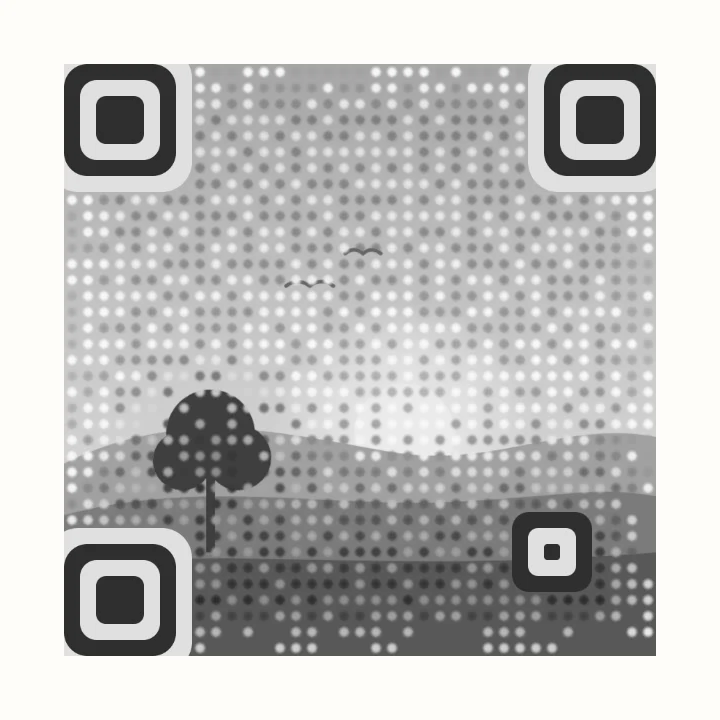
- Open the editor with the settings below, paste the link, and add a photo. It stays on your device and is never uploaded.
- Check that the scan badge says Strong or Good. If it doesn't, try a brighter photo with an even background, or raise the dot size a little.
- Download SVG for the printer, or a 2048 px PNG to place in the program design. Scan a printed proof before printing the full run.
Recommended settings
| Layout | Photo behind code with the Soft look, or Photo in center to keep a face fully clear |
|---|---|
| Colors | A single deep gray ink, which suits a black-and-white or sepia program |
| Dots and corners | Circle dots at about 55% size, rounded corners |
| Photo | A well-lit picture with an even background |
| Download | SVG for a printer, PNG 2048 px for home printing |
Print tips
- Size. At least 1.25 in (3 cm) square on a folded program, and larger on a sign at the guest book or display table.
- A typed fallback. Print a short web address under the code for guests who don't use QR codes.
- Proof first. Scan a printed copy with a couple of phones before the full run.
- Headstones and plaques. Use solid squares rather than a photo, and confirm the material and size with the stonemason. See QR codes for engraving.
FAQ
How do I add a QR code to a funeral program?
Make the code in ScanPix with the link to the tribute video, gallery or obituary, download it as SVG or PNG, and place it in the program design like any other image. Scan a printed proof before printing all the copies.
What should a memorial QR code link to?
A tribute video, a shared photo gallery, the full obituary, a guest book, or a page for donations in the person's name. Choose a page that will stay online for years.
Can I put a photo in the QR code?
Yes. ScanPix lays the code over the photo or puts the photo in the center, and checks with a real decoder that phones can still read it. The photo never leaves your device.
Do memorial QR codes expire?
ScanPix codes are static, so the code itself never expires. It keeps working as long as the page it links to stays online.
Can I put a QR code on a headstone?
Some stonemasons offer this, and some cemeteries have rules about what a headstone can carry, so ask first. Use a solid-square code without a photo, check the size and material with the stonemason, and link to a page you can keep online for a long time.